MagSense2.0.2
Publisher Description
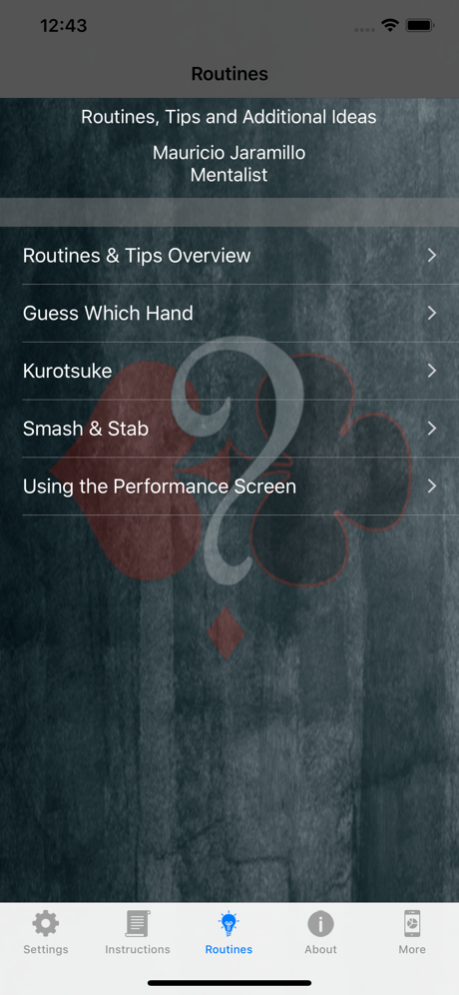
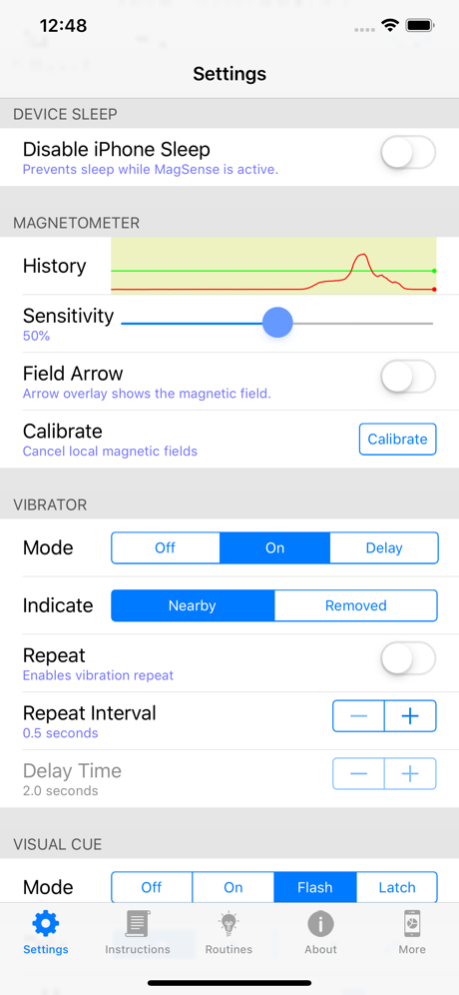
A magnetometer utility app designed by magicians for magicians.
From the creators of Email Wizard (an amazing app acquired by the legendary David Copperfield).
If your magic routines include magnets, this app is for you. Simply put, MagSense is a utility app that will tell you when a magnet is within the range of the magnetometer. Unlike other magnetometer apps currently available, this app is designed to be stealth, so the spectator will not know that an app is in use. You can set the app to vibrate when a magnet is in range, use a small visual cue in the corner of the screen which can be set to black (so the device appears to be asleep) or a screenshot of your choosing.
Simple to use, takes just minutes to set up. MagSense should be considered a utility app, and is not a magic trick by itself. You should use this app to enhance your current performance. This app is not for beginner magicians/mentalist. You should already know the basics to incorporate this into your performance.
Includes three suggested routines written by Columbian mentalist Mauricio Jaramillo.
A magnet is required for routines (not included). This app is for entertainment purposes only and does not provide any real mind reading abilities.
Jun 14, 2020
Version 2.0.2
1. Added a switch to the Performance Settings to make the Performance Screen automatically appear upon launch, and updated the instructions.
2. Bug fix: keep setting sliders in view on wide devices.
About MagSense
The company that develops MagSense is iPhoneMagicApps. The latest version released by its developer is 2.0.2. This app was rated by 1 users of our site and has an average rating of 5.0.
To install MagSense on your iOS device, just click the green Continue To App button above to start the installation process. The app is listed on our website since 2020-06-14 and was downloaded 42 times. We have already checked if the download link is safe, however for your own protection we recommend that you scan the downloaded app with your antivirus. Your antivirus may detect the MagSense as malware if the download link is broken.
How to install MagSense on your iOS device:
- Click on the Continue To App button on our website. This will redirect you to the App Store.
- Once the MagSense is shown in the iTunes listing of your iOS device, you can start its download and installation. Tap on the GET button to the right of the app to start downloading it.
- If you are not logged-in the iOS appstore app, you'll be prompted for your your Apple ID and/or password.
- After MagSense is downloaded, you'll see an INSTALL button to the right. Tap on it to start the actual installation of the iOS app.
- Once installation is finished you can tap on the OPEN button to start it. Its icon will also be added to your device home screen.
Program Details
System requirements
Download information
Pricing
Version History
version 2.0.2
posted on 2020-06-14
Jun 14, 2020 Version 2.0.2
1. Added a switch to the Performance Settings to make the Performance Screen automatically appear upon launch, and updated the instructions.
2. Bug fix: keep setting sliders in view on wide devices.
version 2.0.1
posted on 2020-05-27
May 27, 2020 Version 2.0.1
Better display with Dark Mode
version 2.0
posted on 2019-04-15
Apr 15, 2019 Version 2.0
Updated UI for iPhone X series
version 1.0.2
posted on 2015-10-13
version 2.0.2
posted on 1970-01-01
14 giu 2020 Version 2.0.2
1. Added a switch to the Performance Settings to make the Performance Screen automatically appear upon launch, and updated the instructions.
2. Bug fix: keep setting sliders in view on wide devices.
version 2.0.2
posted on 1970-01-01
2020年6月14日 Version 2.0.2
1. Added a switch to the Performance Settings to make the Performance Screen automatically appear upon launch, and updated the instructions.
2. Bug fix: keep setting sliders in view on wide devices.
